AI Video
AI Video With Consistent Characters: A 2026 Workflow That Works
CreatorsForge Team · November 21, 2026 · 12 min read
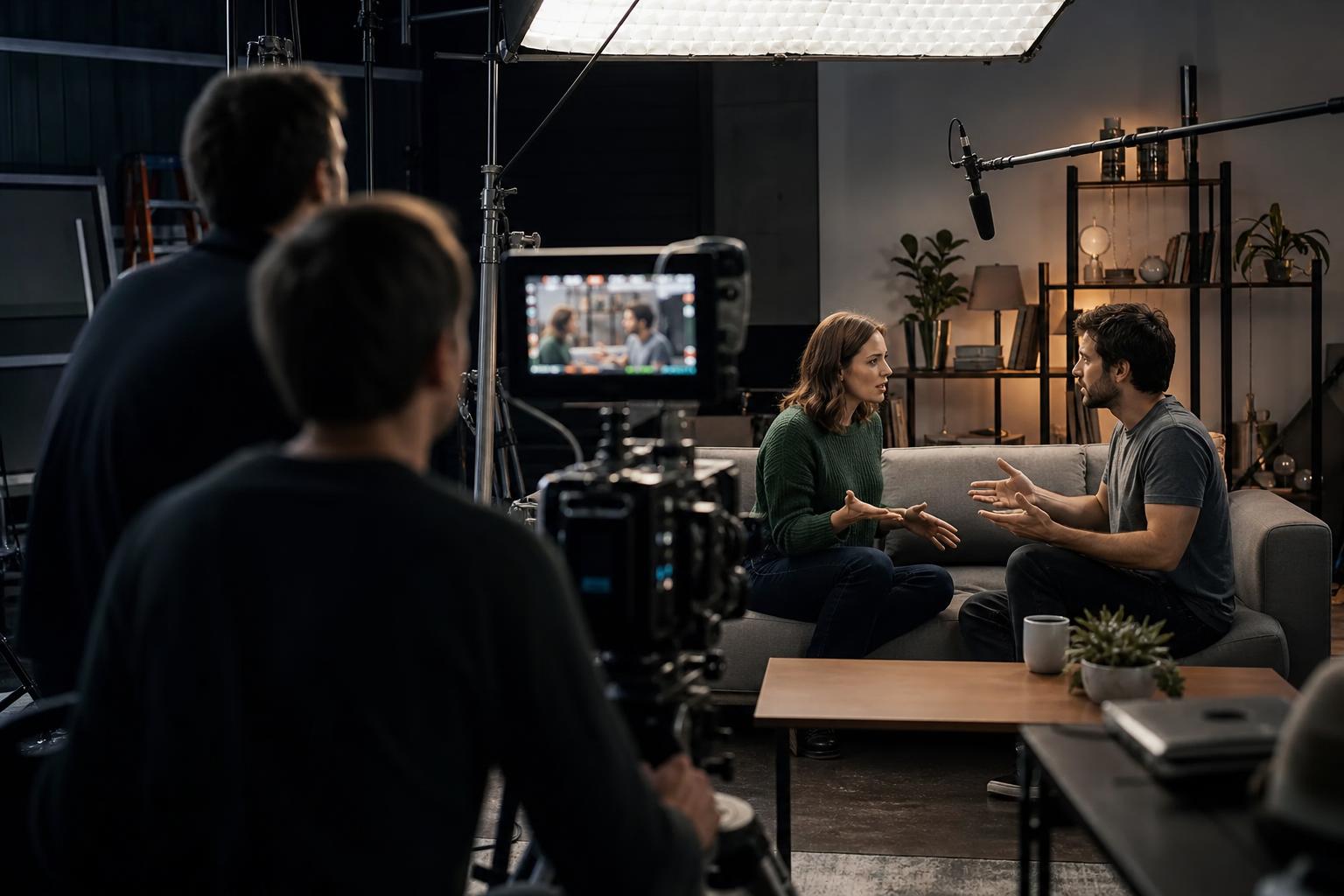
Making AI video with consistent characters is the difference between a clip that looks impressive and a story people can actually follow. Most AI video tools generate each shot from scratch, so the same hero can change face, hair, outfit or even age between cuts. For creators, marketers and small businesses building mascots, explainers or brand stories, that drift breaks viewer trust quickly. The good news is that consistency is mostly a process problem rather than a matter of luck. In this guide you will learn why drift happens, how to build a character sheet, which reference methods exist, a repeatable shot-by-shot workflow, prompt templates, a review checklist and the ethical points to check before you publish.
In this article
- Key takeaways
- Why characters change between AI video shots
- Build a character sheet before you generate a single shot
- Character reference AI: the main methods compared
- A step-by-step workflow for AI character consistency video
- Prompt patterns that keep your character recognisable
- How to review and repair drift in AI storytelling video
- Voice, style and brand consistency beyond the face
- Where CreatorsForge fits into a consistent-character workflow
- Responsible use: likeness, disclosure and rights
- Conclusion
Key takeaways
- Drift happens because most video models do not remember a character between generations; anything you leave unspecified gets re-invented.
- A character sheet with a locked description and a set of reference images is the foundation of every consistent project.
- Image-first workflows, where you approve a keyframe and then animate it, are usually more reliable than text-only prompting.
- Short clips, a fixed prompt structure and a review checklist catch most problems before they reach your audience.
- Features, limits and rules vary by tool and by country, so always check current documentation, platform policies and local law before publishing.
Why characters change between AI video shots
Most generative video models do not keep a persistent memory of a person or mascot. Each clip is produced by predicting frames from your text, and sometimes from an image, so details you did not specify are filled in differently every time. Clips are also usually short, often only a few seconds, which means a one-minute scene is normally stitched together from many separate generations. Every stitch is another chance for the character to change.
Where drift shows up first
Faces are the most noticeable casualty, but they are rarely the only one. Watch for these early warning signs:
- Hair length, parting or colour shifting between shots.
- Clothing details such as buttons, patterns, badges or logos appearing and disappearing.
- Body proportions and height changing relative to objects in the scene.
- Skin tone and apparent age changing under different lighting.
- Art style drifting, for example from realistic to slightly illustrated.
What consistent really means
Pixel-perfect matching is not a realistic target with current tools, and viewers do not need it. Think in layers instead: identity (is this recognisably the same person or creature), costume (are the key garments and accessories the same), style (does it look like the same production) and behaviour (does the character move and act in a way that fits). If a viewer can recognise your character at a glance in every shot, you have achieved practical consistency. That standard is much easier to define, test and hit than perfection.
Build a character sheet before you generate a single shot
The most common mistake is to start generating clips and hope the character emerges. Professional animation teams use model sheets for exactly this reason, and the same idea transfers directly to AI. A character sheet is a short document and a small image set that becomes the single source of truth for every shot.
Write a locked description
Write one paragraph of roughly 40 to 60 words and reuse it word for word. Keep the order identical each time: age range, build, face features, hair, skin tone, clothing, accessories and any distinctive marks. Use concrete visual words such as 'short curly black hair, round tortoiseshell glasses, mustard knit cardigan' rather than vague terms like 'friendly' or 'attractive'. Changing even a few words between prompts can change the result more than you expect.
Create reference images
Generate or illustrate a small set of images on a plain background with even lighting: front view, three-quarter view, profile, a full-body shot and two or three expressions. Pick the best version of each and treat them as masters. Do not keep regenerating the master, because every new version is a slightly different person.
List what must never change
Decide which two or three features carry the identity, such as a red scarf, a scar above one eyebrow or a distinctive hairstyle. Then list what may change freely, such as pose, expression and background. This short rule list makes review fast, because anyone on your team can check a shot against it in seconds.
Character reference AI: the main methods compared
Tools approach character reference in different ways, and the names of features change often. Rather than memorise product names, it helps to understand the underlying methods and what each is good for. Availability varies by tool and plan, so check the current documentation of whichever generator you use.
| Method | How it works | Strength | Limitation |
|---|---|---|---|
| Locked text description | Same character paragraph in every prompt | Works in any tool, no setup | Weakest identity match; drifts over many shots |
| Single reference image | One approved image guides the face and outfit | Fast and simple | Struggles with big angle or lighting changes |
| Multiple reference images | Several angles and expressions guide generation | Better across angles | Not offered by every tool |
| Keyframe to video | You approve a still, then animate it | Strong control over each shot's starting look | More steps; motion can still warp details |
| Seed and settings reuse | Same random seed and parameters where supported | Repeatable results for similar prompts | Breaks when the prompt or scene changes much |
| Trained custom character | A model is fine-tuned on images of the character | Highest consistency for long series | Needs enough images and technical setup |
Choosing a method by project size
For a single 30-second social clip, a locked description plus one reference image is usually enough. For a recurring mascot across a campaign, use multiple references and a keyframe-first process. For a long series or a commercial character that must stay on-model for months, a trained custom character is worth the extra effort where your tool supports it.
Why image-first usually wins
Fixing the starting frame removes most of the guesswork, because the model only needs to add motion rather than invent the character. That is why image-to-video is a popular route for consistent character AI work. If you want to explore that route in more depth, our guide on AI image to video generators and how to animate photos covers the basics.
A step-by-step workflow for AI character consistency video
Consistency comes from doing the same steps in the same order every time. This workflow works for short ads, explainers and narrative clips alike.
- Write the story beat by beat in plain language, one action per beat.
- Create the character sheet and approve the master reference images.
- Build a storyboard with one frame or sentence per planned shot.
- Generate a keyframe for each shot using the references and locked description.
- Review each keyframe against your must-not-change list and fix problems now, while it is cheap.
- Animate approved keyframes into short clips of a few seconds each.
- Review, regenerate weak takes, then edit, add voice and music, and export.
Storyboard the shots first
A storyboard stops you from generating shots you never use. Note the camera distance (wide, medium, close-up), the character's action and the location for each shot. Wide shots hide small facial differences, so use them more often when your tool struggles with faces.
Generate keyframes, then animate
Still images are quicker to iterate than video, and they let you reject a bad version early. Once a keyframe looks right, animate it with a short, simple motion prompt such as 'she turns toward the window and smiles slightly'. Overly ambitious motion is a frequent cause of warped faces and hands.
Keep clips short and cut on action
Short clips give the model fewer frames in which to drift. Cutting between shots on a gesture or movement also hides small differences, because the viewer's attention follows the action. For a wider view of how these stages connect from script to publishing, see our AI video creation workflow.
Prompt patterns that keep your character recognisable
A disciplined prompt structure is cheap insurance. The goal is to change only the parts of the prompt that should change from shot to shot, and keep everything else frozen.
A reusable prompt template
Use the same four blocks in the same order:
- Character block: your locked description, unchanged.
- Action block: what the character does in this shot.
- Setting block: location, time of day and props.
- Camera and style block: shot size, movement, lighting and overall look.
For example: 'A woman in her thirties, short curly black hair, round tortoiseshell glasses, mustard knit cardigan, warm brown skin. She pours tea at a wooden kitchen table. Morning light, small flat. Medium shot, slow push-in, natural colours, documentary style.'
Separate identity from camera and lighting
Lighting and lens language can change how a face looks, so keep them as stable as possible within a scene. If you switch from soft daylight to neon night lighting, expect the character to look different and plan a fresh reference check for that look. Some teams create a second reference set for each major lighting set-up.
Words that cause drift
Avoid vague or conflicting adjectives, long lists of style names and anything that invites reinterpretation, such as 'a different outfit' or 'similar to before'. Do not rely on phrases like 'the same character as the previous shot' unless your tool explicitly supports referencing earlier generations. Models read the words you give them, not your intentions.
How to review and repair drift in AI storytelling video
Even with a good process, some shots will miss. A fast, consistent review step stops weak shots reaching your audience and saves credits and time on regenerations.
A five-point review checklist
- Face: are the eyes, nose, jaw and hairline recognisable against the master reference?
- Costume: are the must-not-change items present and correct?
- Proportions: is height, build and scale believable relative to the scene?
- Style: do lighting, colour and texture match neighbouring shots?
- Motion: do hands, teeth, glasses and hair stay stable during movement?
Pause on the first, middle and last frame of each clip, because drift often builds up within a clip rather than appearing on frame one.
Common problems and fixes
| Problem | Likely cause | Practical fix |
|---|---|---|
| Face changes in profile shots | Only a front-facing reference exists | Add three-quarter and profile references to the sheet |
| Outfit details vanish | Clothing described loosely or not at all | Name colours, fabrics and accessories explicitly |
| Face warps mid-clip | Motion too complex or clip too long | Simplify the action and shorten the clip |
| Character looks older or younger | Lighting or style words changed | Keep the age range in the locked block and stabilise lighting |
| Look differs between scenes | Different style prompts per scene | Reuse one style block across the whole project |
Regenerate, edit or cut around it
If a shot is close, a light edit such as a crop, a speed change or a colour match may be cheaper than regenerating. If the face is clearly wrong, regenerate from the approved keyframe. If a shot keeps failing, consider redesigning it as a wide shot, an over-the-shoulder view or a cutaway to an object, which reduces how much of the face is visible.
Voice, style and brand consistency beyond the face
Viewers judge continuity with their ears and their sense of tone as well as their eyes. A character who looks identical but changes voice or personality between scenes still feels inconsistent.
Voice and lip sync
Choose one voice for each character and keep its settings, such as pace, pitch and accent, fixed across the project. If your audience is international, test the voice with different accents and languages in mind, and check subtitle accuracy because translated lines can change lip timing. Lip sync quality varies widely between tools, so test a short sample before committing to a full script.
Visual style and colour
Pick one visual style at the start, whether that is photoreal, 3D animation or flat illustration, and write it into a reusable style block. A final colour grade applied across all clips in your editor can unify small differences in tone that the models introduced.
Brand rules for mascots
If the character represents a business, document tone of voice, catchphrases, topics to avoid and how the character behaves in sensitive situations. Written rules make it easier to review AI-written scripts consistently. Our guide to AI brand voice consistency explains how to set tone rules and review steps that apply equally to a mascot's dialogue.
Where CreatorsForge fits into a consistent-character workflow
Consistent characters are rarely a one-tool job. You need scripts, visuals, video, editing, publishing and measurement, and every handoff between separate subscriptions is an opportunity to lose a reference file or a prompt.
One workspace from script to publish
CreatorsForge.io brings AI video creation, SEO article writing, social media automation and WordPress auto-publishing into one platform organised into six Studios. That means you can keep your scripts, assets and publishing schedule together, and turn a finished character video into a blog post, social clips and scheduled posts without exporting between several apps. Whichever generator you use for your character shots, store your character sheet, locked description and approved references alongside the project so every teammate works from the same source.
Budget for iteration
Consistent characters usually require more takes than one-off clips, because you will reject some keyframes and regenerate some shots. CreatorsForge uses credit-based plans, from a free trial up to Enterprise, so it is sensible to estimate how many takes per shot you expect before you start. If you are still comparing tools, our AI video generator comparison sets out the features and pricing questions to ask, including how each tool handles reference images.
Responsible use: likeness, disclosure and rights
Consistency tools are powerful, and that power comes with responsibilities. Treat these checks as part of your publishing process, not an afterthought.
Real people and likeness
Do not create a consistent character that imitates a real person, such as a celebrity, a colleague or a competitor's founder, without clear written permission. Many tools prohibit this in their terms, and laws on personality rights, privacy and impersonation exist in many places. If you use your own face or a team member's, get explicit consent and record how the images will be used.
Disclosure and platform rules
Social platforms and advertising networks increasingly ask creators to label realistic AI-generated or altered content, and the exact rules change often. Read the current policy of each platform where you publish. Even where disclosure is not required, a short note that a video uses AI-generated characters builds trust with your audience.
Rights differ by country
Copyright rules for AI-generated material are not the same everywhere. Some jurisdictions require meaningful human authorship for protection, while others treat the question differently or are still deciding. Commercial-use terms also differ between tools and plans. If a character will become a long-term brand asset, check your tool's licence terms and consider professional legal advice in the countries where you operate. Nothing in this article is legal advice.
Conclusion
AI video with consistent characters comes down to preparation and discipline. Understand that models do not remember characters, build a character sheet with a locked description and reference images, and choose a reference method that fits your project size. Work image-first, keep clips short, reuse a fixed prompt structure, and review every shot against a simple checklist. Keep voice, style and brand rules consistent, and follow the likeness, disclosure and rights requirements that apply where you publish. With a repeatable process, your characters can stay recognisable from the first frame to the last.
Frequently asked questions
- How do I keep the same character across AI video shots?
- Create a character sheet with a locked text description and a set of approved reference images, then reuse both for every shot. Generate and approve a keyframe first, then animate it in short clips. Review each shot against a must-not-change list before editing.
- Why does my AI character's face keep changing?
- Most video models do not remember a character between generations, so any detail you leave unspecified is invented again. Changes in angle, lighting, prompt wording or clip length can also alter the face. Adding more reference angles and keeping prompts and lighting stable reduces the problem.
- Is image-to-video better than text-to-video for character consistency?
- Usually yes. Starting from an approved still image fixes the character's look before motion is added, which gives you more control than text alone. Results still depend on the tool, and complex motion can warp details even from a good starting frame.
- What is a character sheet for AI video?
- It is a reference pack that defines your character: a locked description of 40 to 60 words, master images from several angles and expressions, and a list of features that must never change. It acts as the single source of truth for everyone working on the project.
- How long should each AI video clip be to avoid drift?
- Shorter is generally safer. Many tools generate clips of only a few seconds anyway, and fewer frames mean fewer chances for the character to change. Plan scenes as several short shots joined by cuts on action rather than one long take.
- Can I train a custom AI character model?
- Some tools and open-source workflows allow fine-tuning on a set of images of your character, which can give very high consistency for long series. It needs enough high-quality images and some technical setup, and availability depends on the tool. Only train on images you have the right to use.
- Do I need to disclose that my characters are AI-generated?
- Rules vary by platform, advertising network and country, and they change frequently. Many platforms ask creators to label realistic AI-generated content. Check the current policies where you publish, and consider disclosing anyway to build audience trust.
- How many takes should I budget for each shot?
- There is no fixed number, because it depends on the tool, the complexity of the shot and how strict your standards are. Plan for more than one take per shot, and more for close-ups with complex motion. Testing a few shots first gives you a realistic estimate.
Ready to build with AI?
CreatorsForge turns one idea into finished content, published and measured — automatically.
Start free